Impexel Reader
A customizable way to discover and enjoy reading.
Impexel Reader is a web app for reading books, built around HTML. The idea: import HTML, EPUB and PDF files and build a personal library. It brings reading preferences, chapter navigation, notes and progress tracking together in one experience that runs in the browser.
- Project
- Independent Impexel product
- My role
- Product design, UI design, web development
- Platform
- Responsive web
- Built with
- React
Context
Finding a free book is easy. Reading it comfortably is not.
HTML lets you open a book right in the browser and use its built-in translation. But presentation, navigation and continuity between sessions make long reads harder than they should be.
Impexel Reader started as an exploration of that whole journey — from finding a book to picking it up again days later.
The problem
Four points of friction
- Little control over how the text is displayed.
- Long documents make it hard to move between chapters.
- Notes and progress had nowhere to live.
- Switching between desktop and mobile needed an interface that adapts to the space.
The challenge: bring all of this into a web app that stays simple while you read.
Product goal
Comfortable, personal reading that keeps its context
Make it easy to discover books, organize a library and keep context between sessions. The core flow was defined around five actions:
- 01Discover
- 02Add to library
- 03Personalize
- 04Read & annotate
- 05Resume
This flow shaped both the structure of the interface and the development priorities.
Library & discovery
The library is the entry point
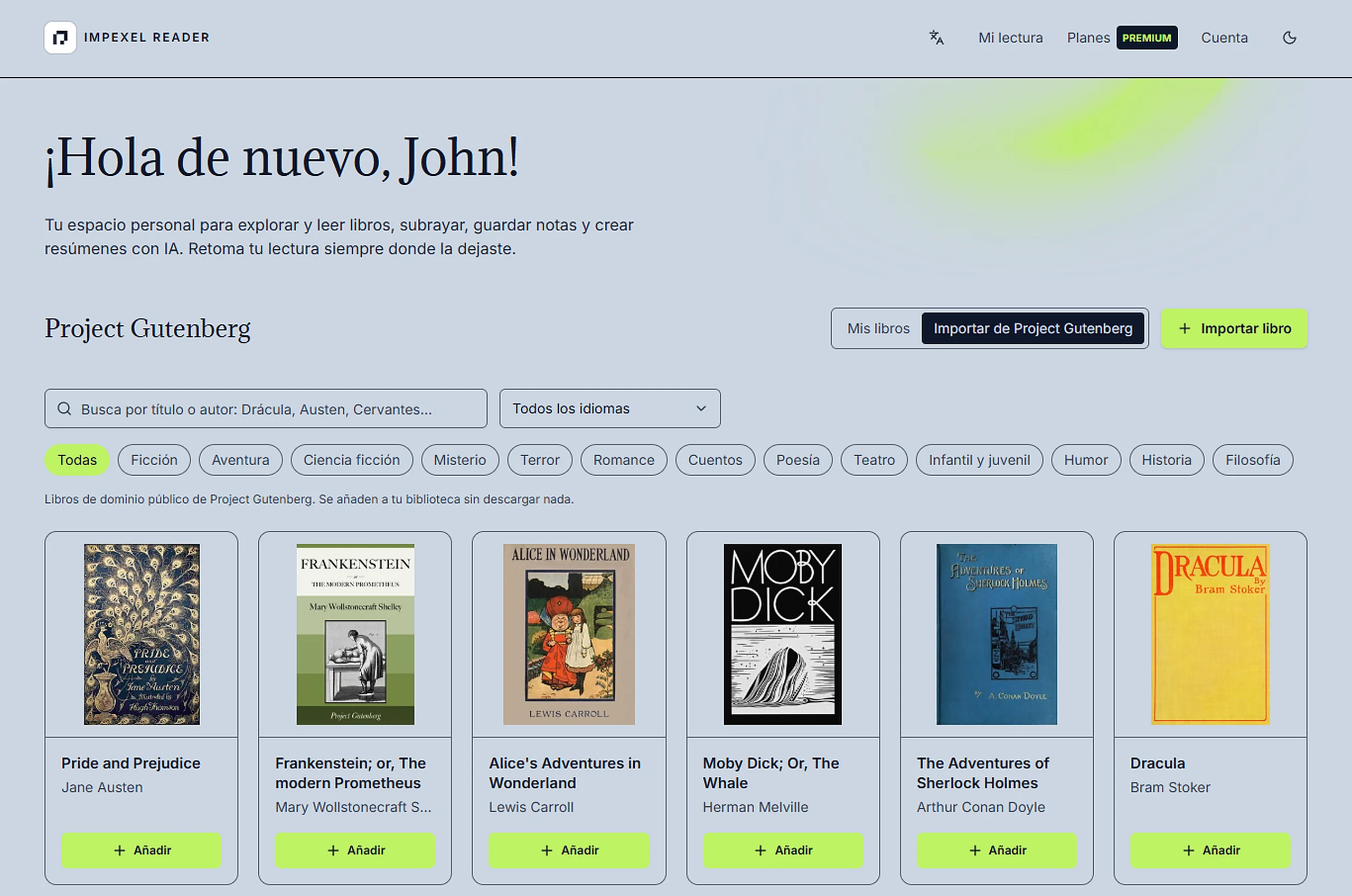
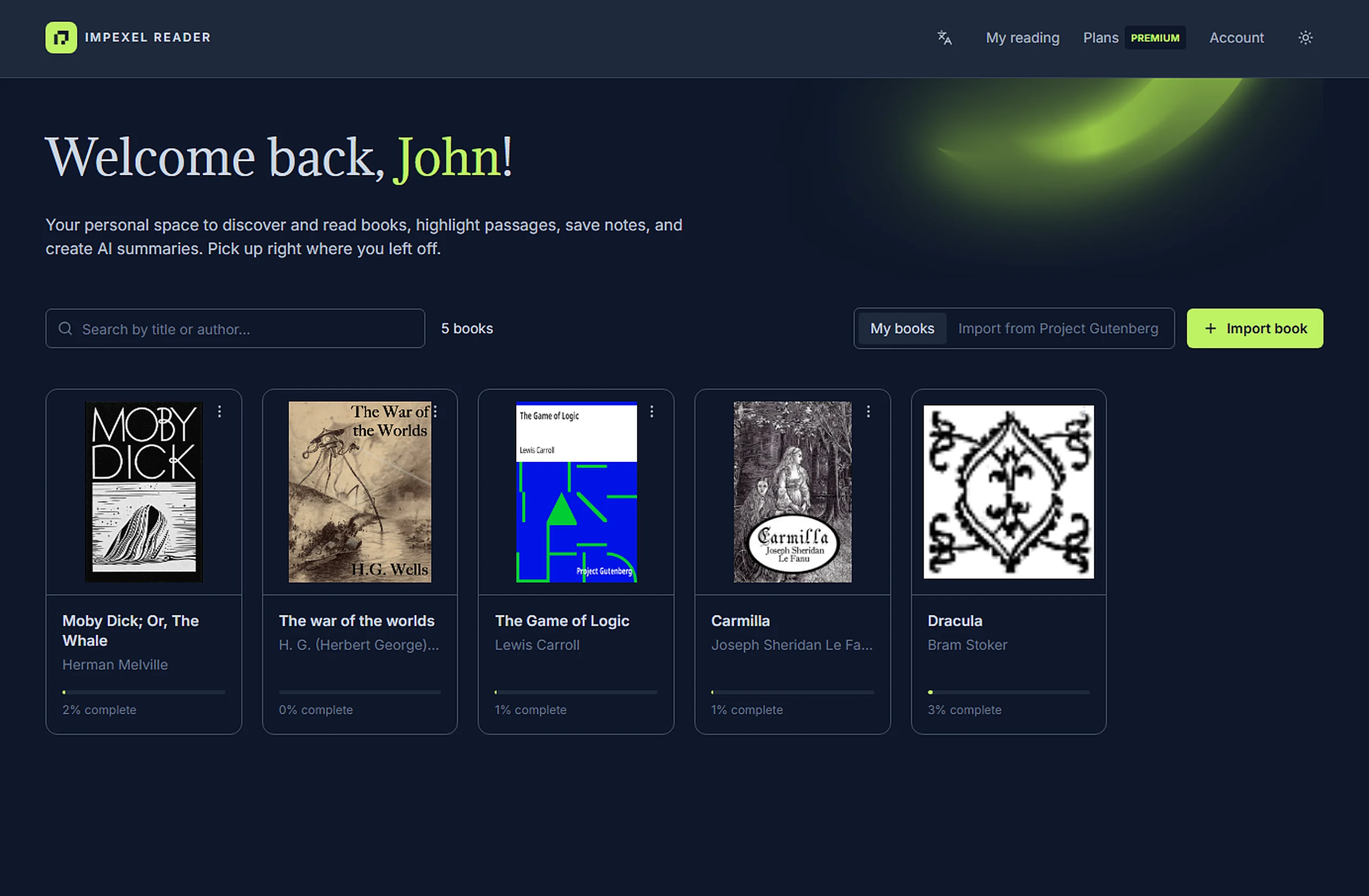
It combines the books a user has added with direct access to the Project Gutenberg catalog.
Cards show cover, title, author and progress, so each book is easy to recognize and its progress is visible at a glance. Search by title or author finds a specific book, and import actions let users add their own files.
Interface
Three spaces around the text
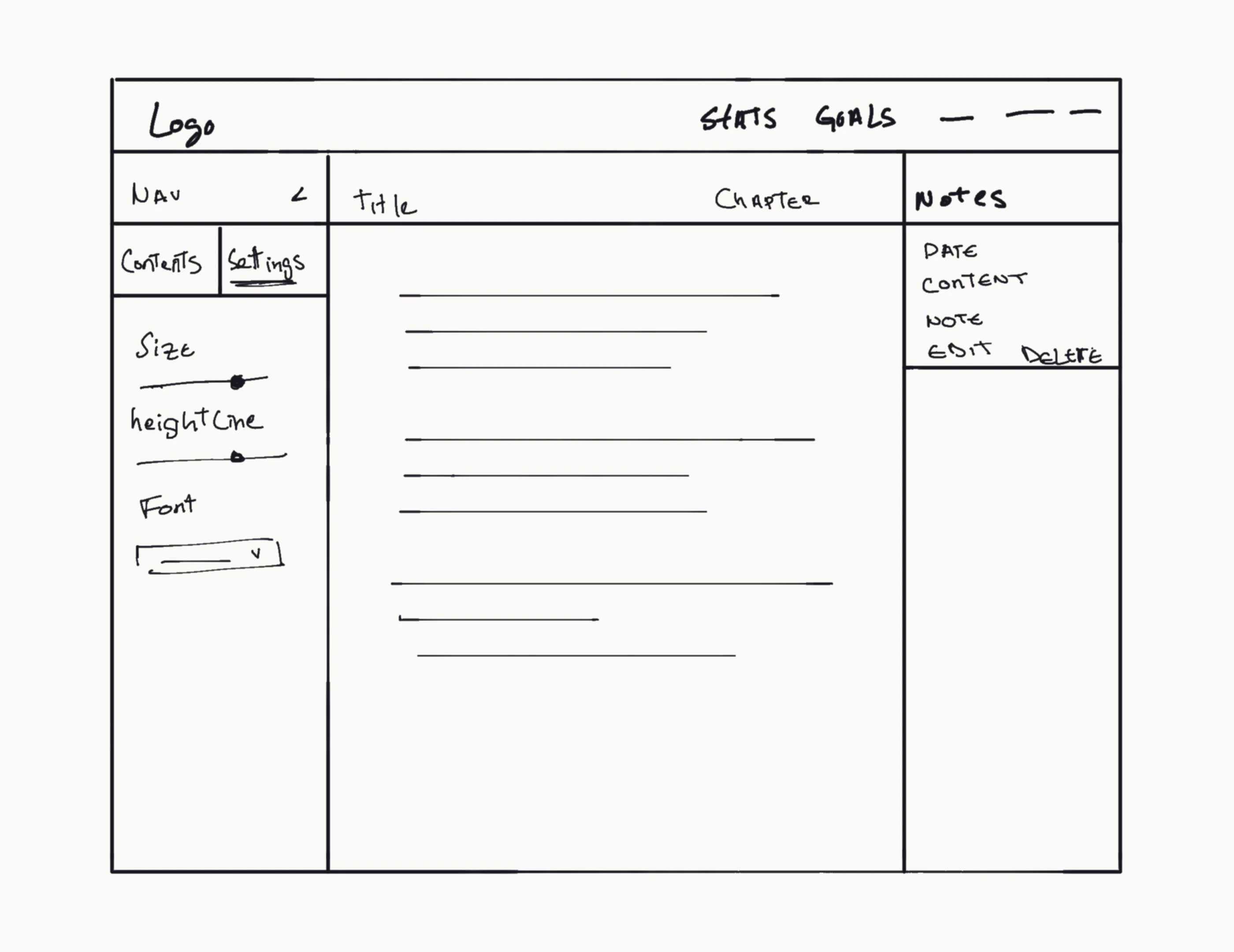
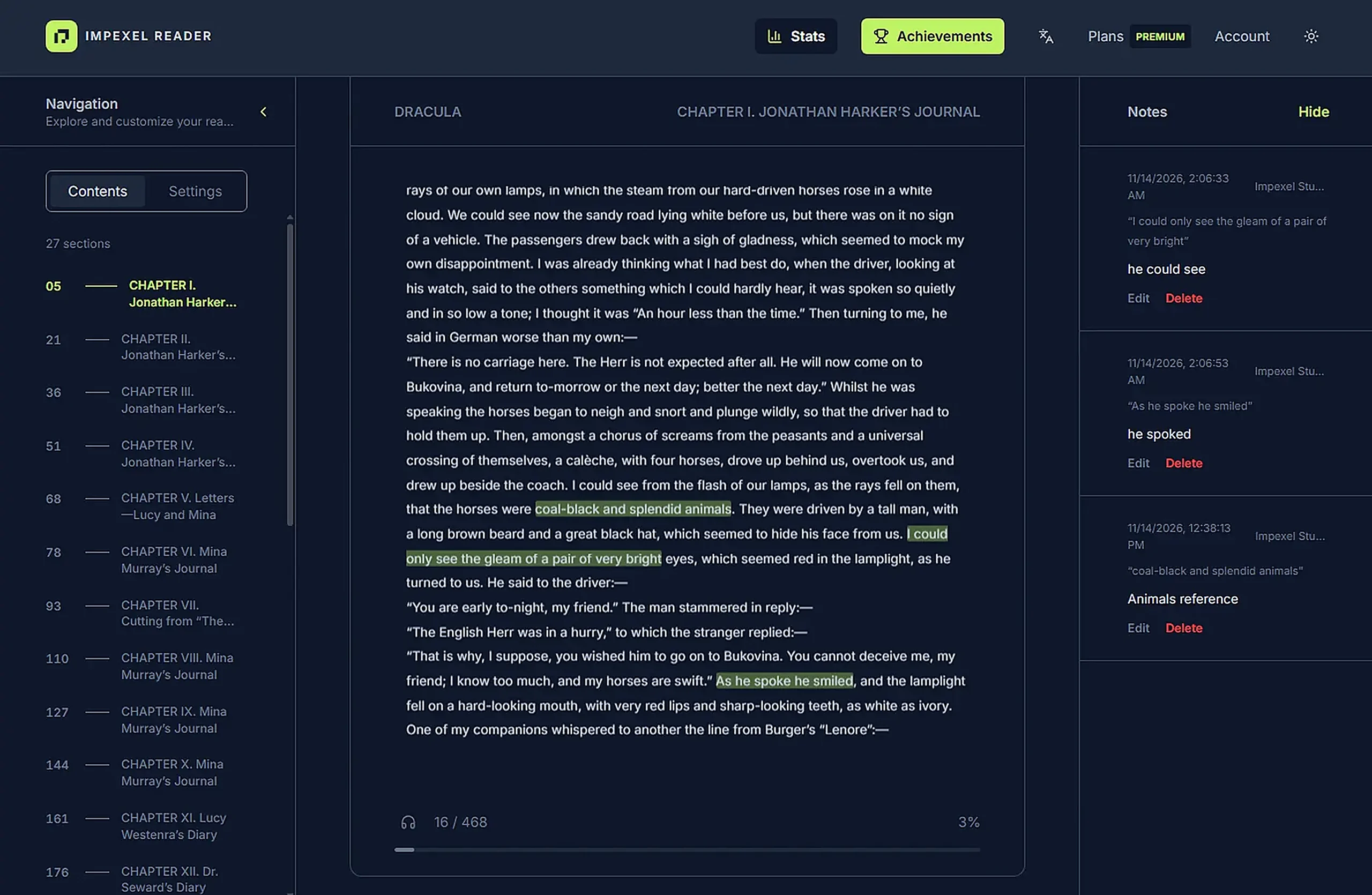
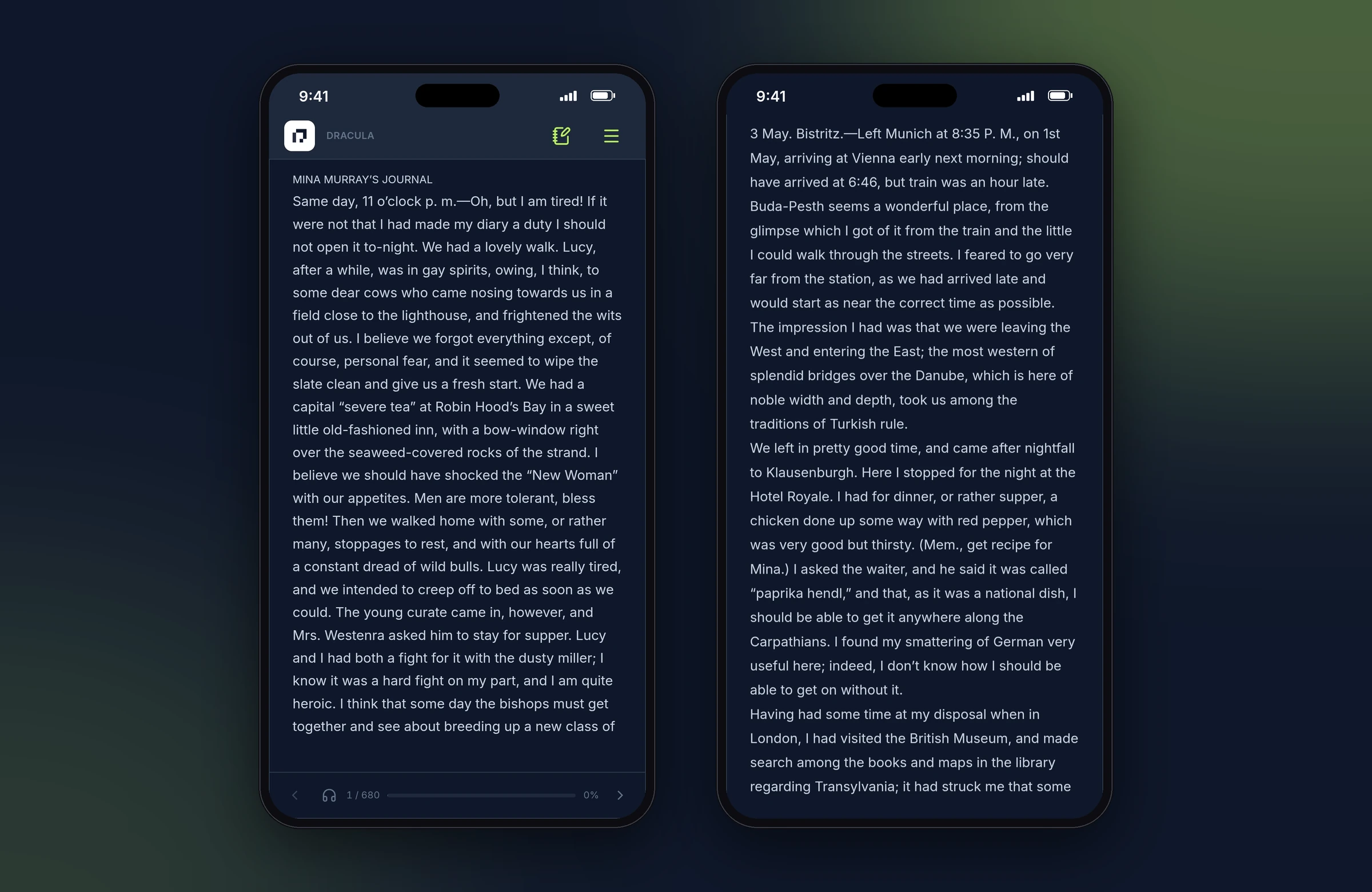
On desktop, the reader is organized into three areas:
Navigation
Browse chapters and open reading settings.
Reading
The content, with your position in the book.
Notes
Review annotations while reading.
Side panels keep tools close to the text and can be collapsed to give reading more room. On mobile, these tools open from the header, so the text gets the full screen.
Personalization
The page adapts to the reader
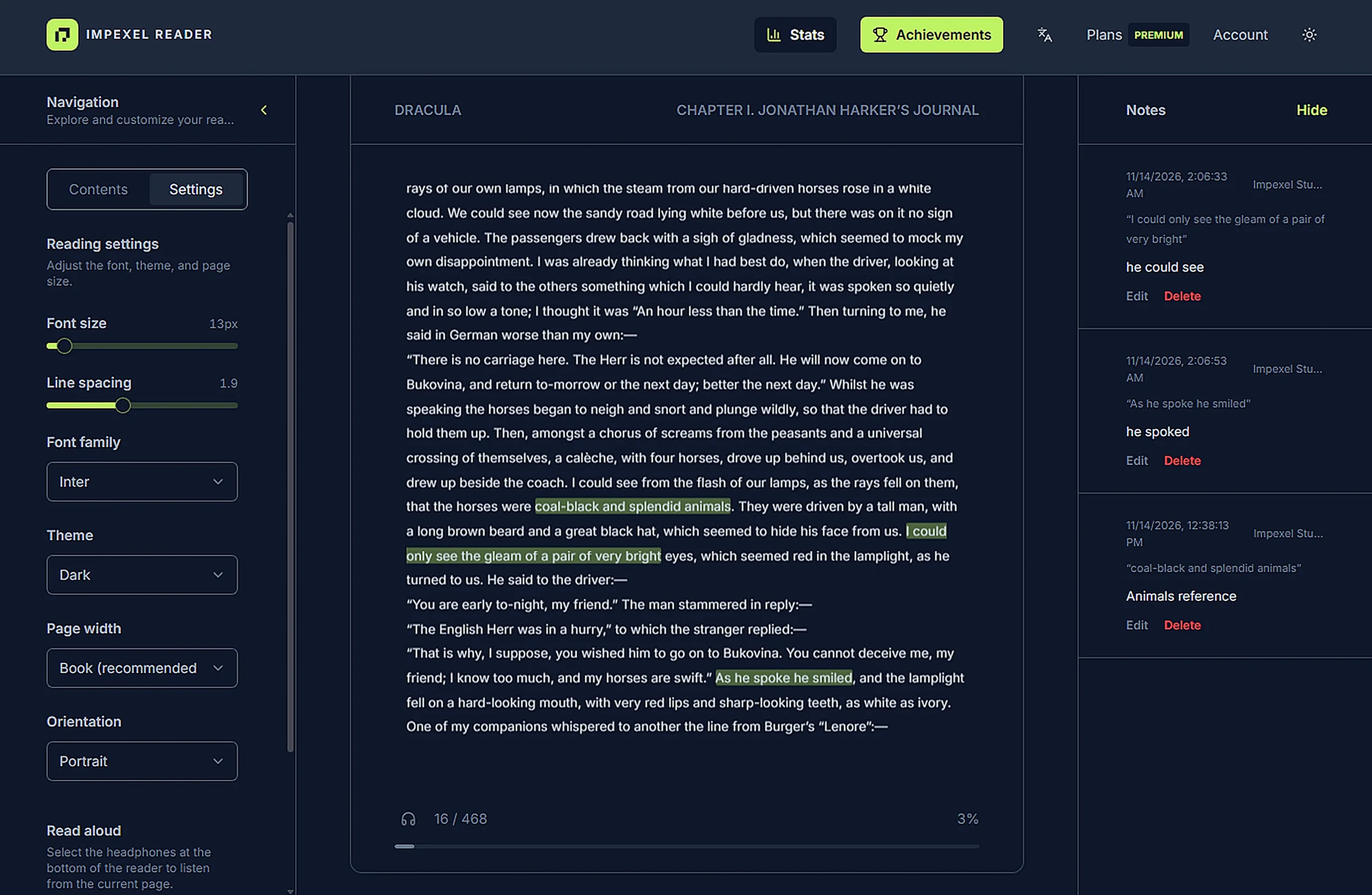
Readers can change text size, line spacing, typeface, theme and page width.
A quick read on a phone calls for different settings than a long session at a desk.
Notes
Notes that keep their passage
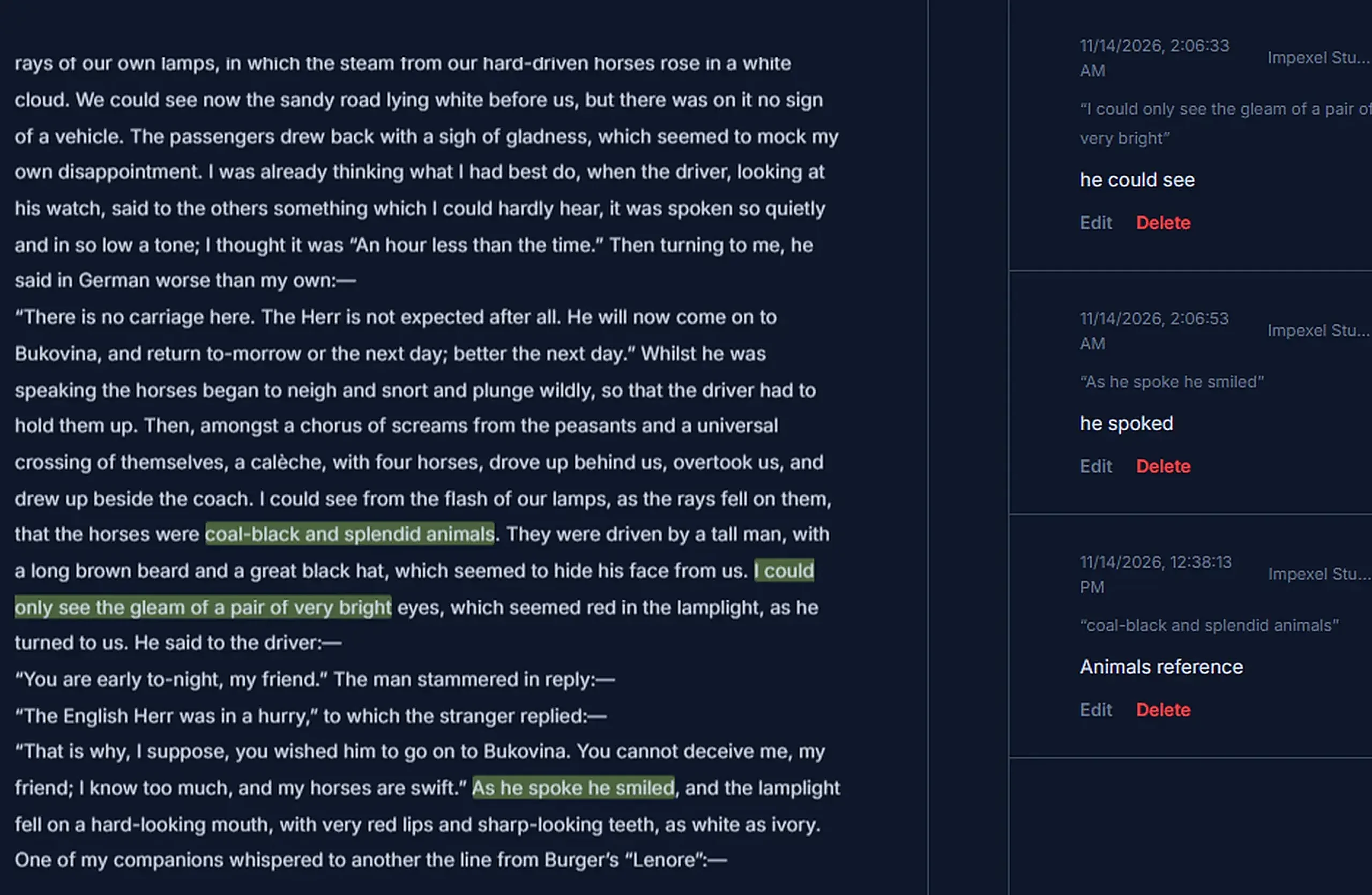
Each note stores the selected passage together with the reader’s comment, so it never loses its context.
The side panel collects all of a book’s notes, with actions to edit or delete them.
Progress & stats
Progress at hand, details on demand
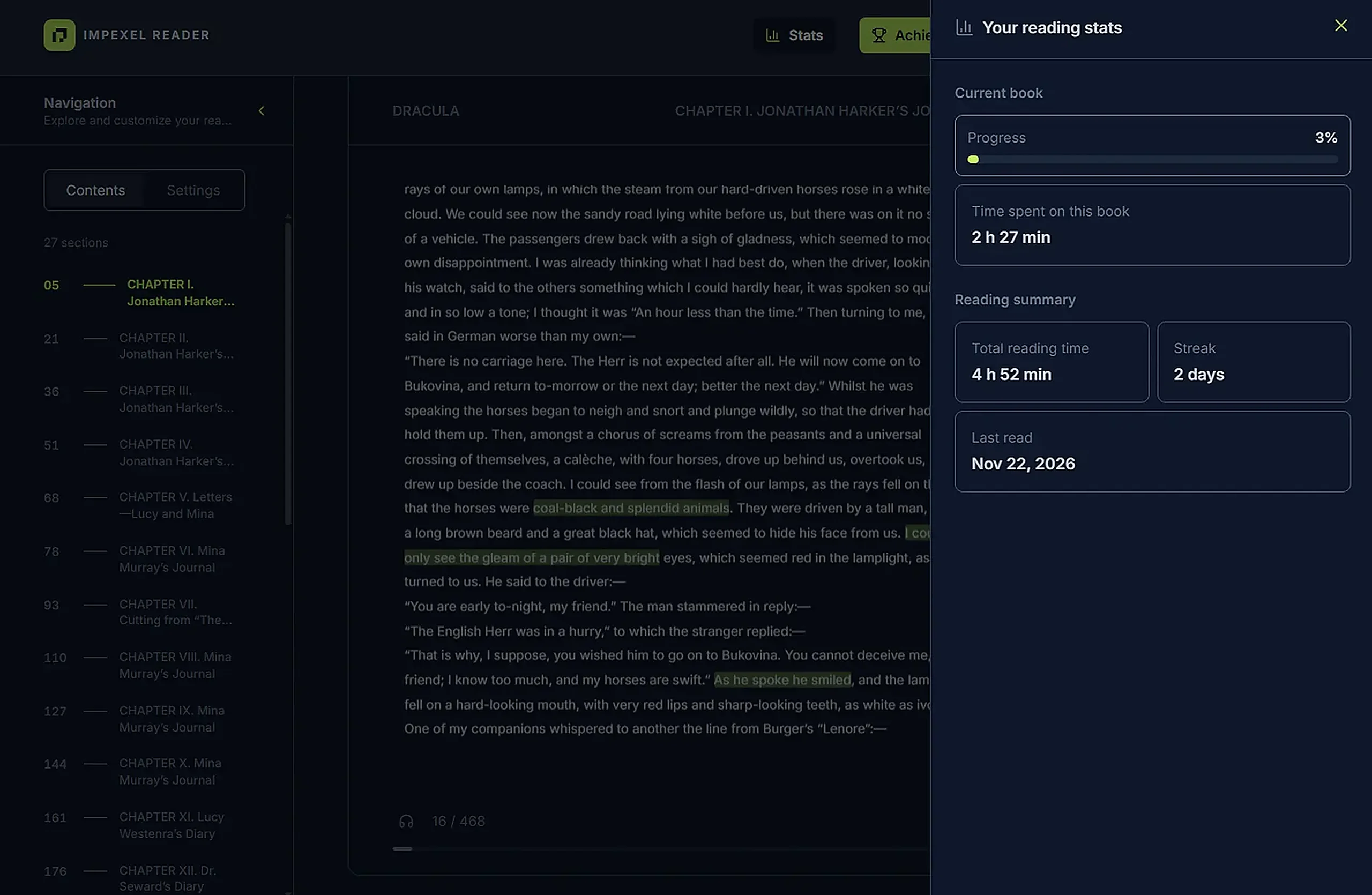
The library and the reader show progress for each book. A stats panel adds time spent, total reading time, streak and last session.
The goal is to help readers see their activity and get back into context when they return.
Development
From book files to a working reader
The implementation connects book content to the interface and to each reader’s personal data.
The technical work covers rendering HTML, EPUB and PDF, chapter navigation, applying reading preferences, and saving notes and progress. Working with the browser’s built-in translation was part of the original goal: Project Gutenberg provides the catalog, and the browser handles translation.
Iteration
Improvements found through daily use
Using the app every day surfaced details that directly affect the experience:
- How text behaves at small sizes.
- Giving priority to the last book read.
- Keeping progress when the connection drops.
Each observation feeds the next iteration and gives real examples to revisit decisions with.
Current state
The core flow works end to end
The current version supports the full core flow with a real book: add it to the library, read it, annotate passages and check progress.
So far, the evidence comes from internal use. Testing with external readers is the next step.
What’s next
Usability testing with real readers
The next phase observes how other people start and resume a book. Four core tasks will be tested:
- Find and add a book.
- Adjust how the text is displayed.
- Save a note and find it again.
- Come back to the book and keep reading.
First metrics: successful reading starts, friction points during those tasks, and whether people return in the following days.
Takeaway
Reader connects design and development through an everyday activity. Details like line spacing, a note that stays with its passage or picking up exactly where you left off depend as much on the interface as on how it behaves.
Try it yourself