Impexel Tasks
Clear requests, visible capacity, one workflow.
A client-facing platform that centralizes service requests, priorities, delivery tracking and subscription-based execution capacity. I designed and built it together with my business partner: it started as a product and service design challenge and became a fully developed web app.
- Project
- Impexel product, co-created with my business partner
- My role
- Product & service design, UI, full-stack development
- Platform
- Responsive web
- Built with
- React · Node.js
The problem
Requests scattered across email, chat and calls
When service work lives across email, chat, shared documents and calls, clients lose track of:
- What has already been requested.
- What is being worked on right now.
- Which tasks have priority.
- How much execution capacity is available.
- How billing affects active work.
For the team, the same fragmentation makes prioritization, workload planning and communication harder. We wanted a workflow that makes the service relationship transparent — without asking clients to learn a complex project management tool.
Product approach
Unlimited requests, limited execution streams
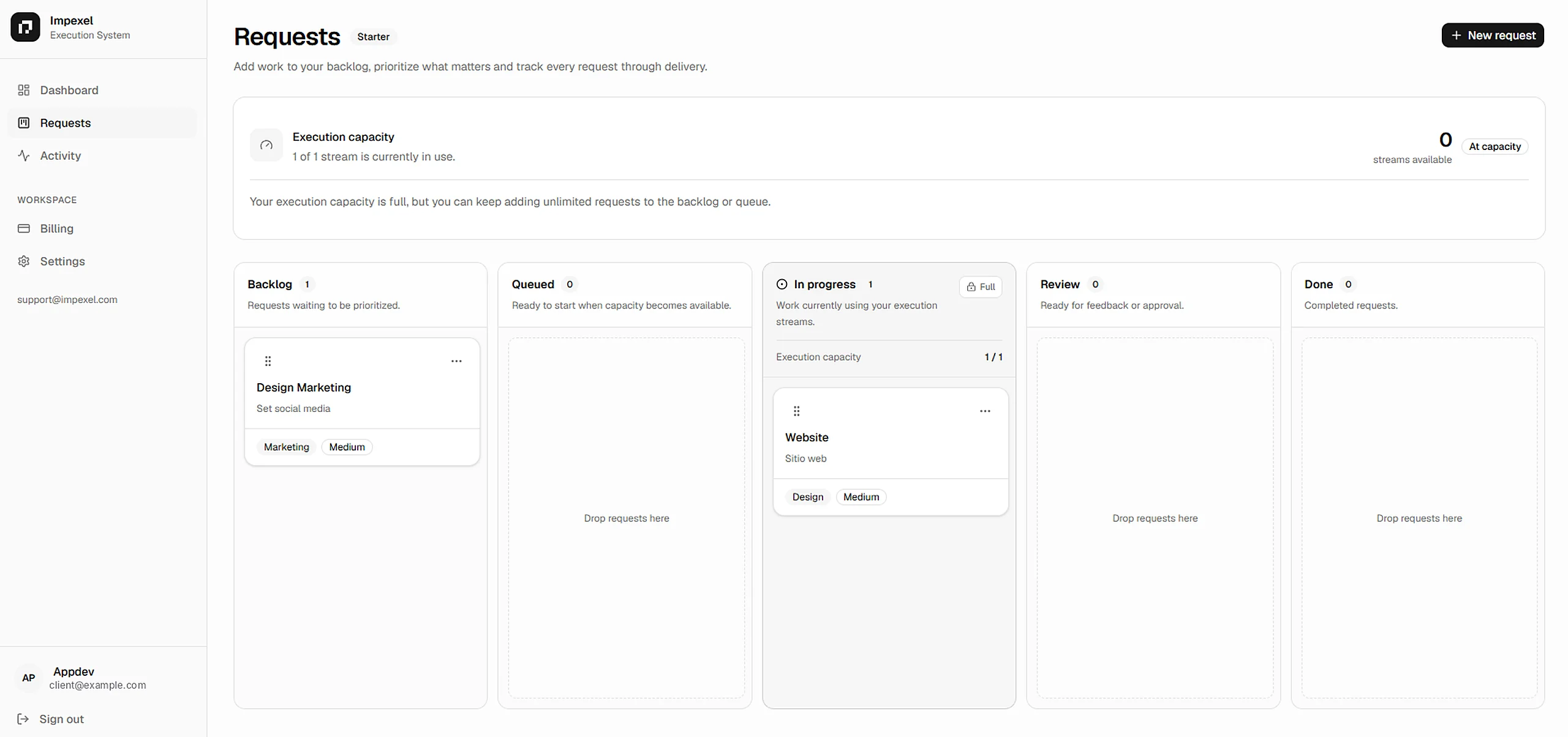
Together with my partner, we defined a simple service model: clients create unlimited requests, organize them in a backlog, and use a set number of execution streams depending on their plan. Every request follows the same path:
- Backlog
- Queued
- In progress
- Review
- Done
Only requests in progress use execution capacity. A plan with two streams runs two requests at a time; everything else waits, already prioritized, in the backlog or queue.
Key decisions
Principles behind the interface and the rules
Status is always clear
Clients always know where each request stands.
Prioritization stays visual
Ordering work is simple and direct.
Billing mirrors capacity
The plan defines how many requests run at once.
History stays available
Past requests remain accessible if a subscription becomes inactive.
Organize without starting
Clients can reorder work without accidentally starting new execution.
Isolated workspaces
Admins see across clients without breaking each workspace’s isolation.
These decisions shaped both the interface and the backend rules of the product.
Experience
Everything about a request, in one place
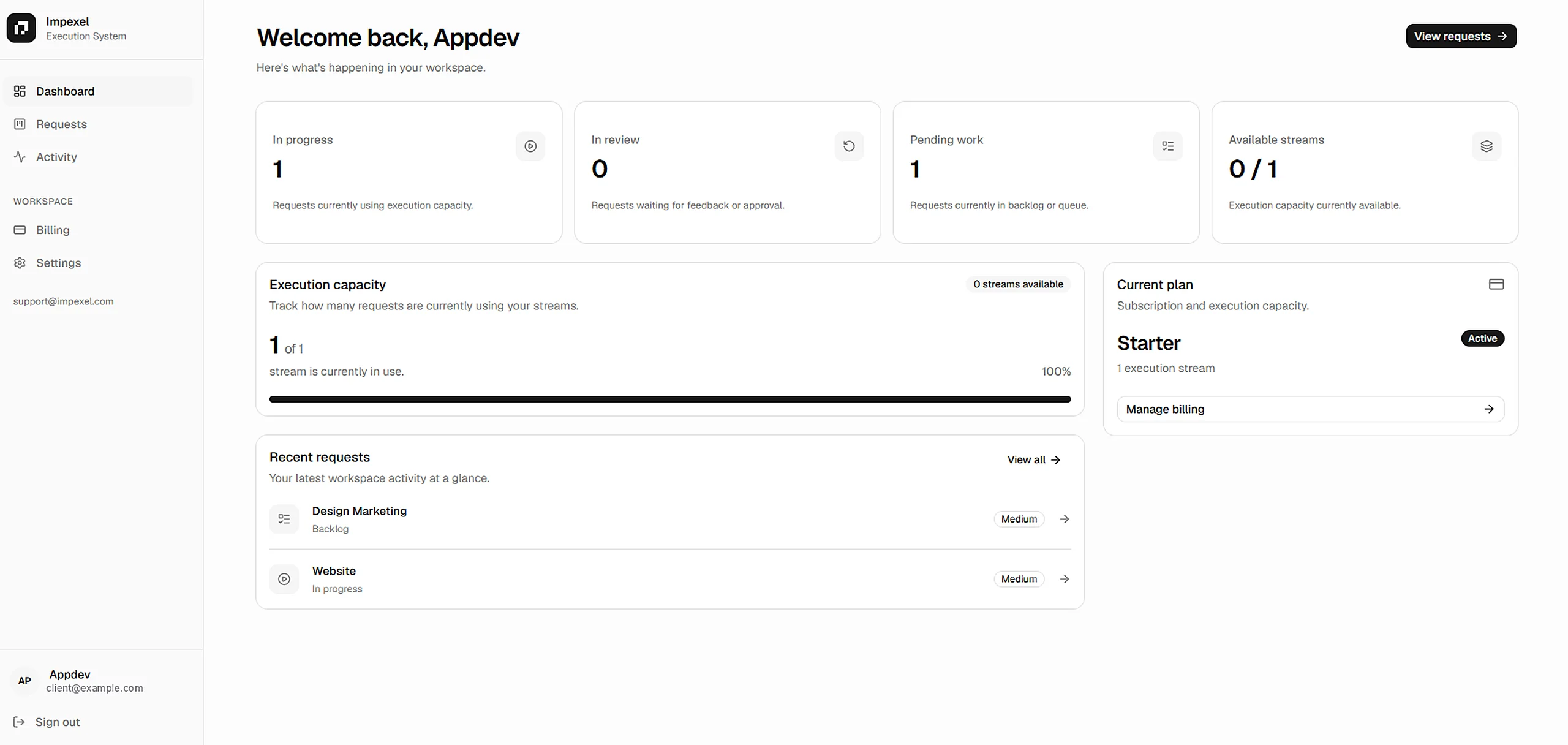
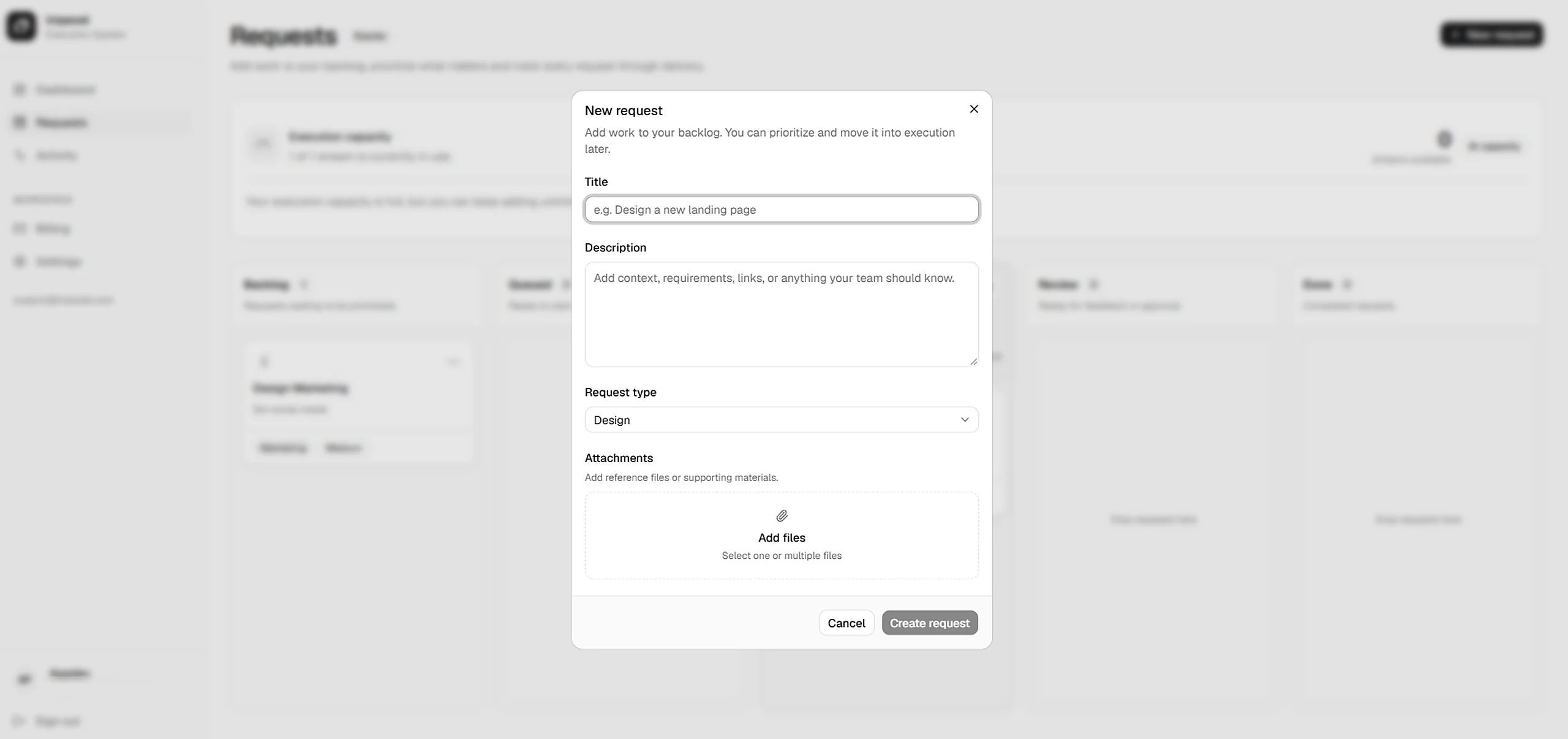
The client side combines a Kanban workflow with request details, comments, attachments, priorities, execution capacity and billing status. Clients can:
- Create and prioritize requests.
- Move work between workflow stages.
- Track active execution capacity.
- Comment on requests and share files.
- Review completed work.
- Manage their subscription.
Admin
Operational visibility for the team
An internal admin view gives a global look across client workspaces — active subscriptions, requests in progress, review queues and execution capacity — while each client’s workspace stays isolated.
Development
From product model to production
After defining the product model, workflows, permissions and interaction patterns with my partner, we moved into development. I worked across product design and implementation: the React interface and the application logic behind requests, workspaces, accounts, subscriptions and execution capacity — on a JavaScript stack with secure sign-in, file storage and online payments.
Outcome
One operating layer for productized services
Billing, project tracking and communication stop being separate systems and become a single workflow:
- Subscription
- Execution capacity
- Prioritized requests
- Delivery
Clients and the team get clearer visibility into what is requested, what is being worked on and what should happen next.
Try it yourself